MCA_CamAppend (FB)
FUNCTION_BLOCK MCA_CamAppend
This function block implements Camming functionality. A slave axis is coupled to a master axis by a position/position relation.

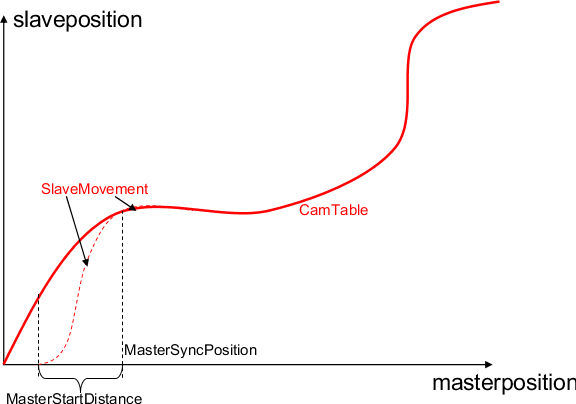
The function block will append a cam table to an ongoing cam movement (first cam). The transition to the new cam (second cam) table will during a continuous movement.
The End-Velocity from the first cam has to match the start velocity for the second cam, as no sync process is forseen.
the first cam has to be defined “periodic”, otherwise the movement will stop when the first cam reaches “EndOfProfile”
just one additional cam can be “appended”, the next cam is possiple as soon as this block shows “inSync”
the block has no additional input paramater, as the input parameter from first cam are to be used.
The Cam is placed either absolute or relative to the current master and slave positions:
Absolute: The profile between master and slave is seen as an absolute relationship.
Relative: The relationship between master and slave is in a relative mode.
If a cam-table is to be used “relative”, the first position has to be zero.
This function block is not merged with the MC_CamTableSelect function block because this separation enables changes on the fly.
A mechanical analogy to a slave offset is a cam welded with additional constant layer thickness. Because of this the slave positions have a constant offset and the offset could be interpreted as axis offset of the master shaft, if linear guided slave tappets are assumed.
Note
The slave axis is NOT ramped out, which means the curve should end with velocity=0. The CAM could be interrupted with any other function block, according to the statemachine. It is not required to use MC_CamOut.
- InOut:
Scope
Name
Type
Comment
Input
ExecuteBOOLStarts the function block at rising edge
Output
InSyncBOOLSlave is synchronized to CamTable
DoneBOOLShows the status of the function block. Done = TRUE if the execution is finished
BusyBOOLThe function block with Busy = TRUE has control on the axis
ActiveBOOLIndicates that the function block has control on the axis
CommandAbortedBOOLCommand is aborted by another command from other PLCopen function block
ErrorBOOLSignals that error has occurred within function block
ErrorIDError identification. For error details refer to Enumeration ERROR_ID
EndOfProfileBOOLIf Linear axis, CamTable reached the end, slave axis stopped. It will be never TRUE in case of Rotary axis
Inout
MasterReference to master axis
SlaveReference to slave axis
CamTableIDIdentifier of CAM Table to be used in the MC_CamIn function block. Prepared by MC_CamTableSelect