


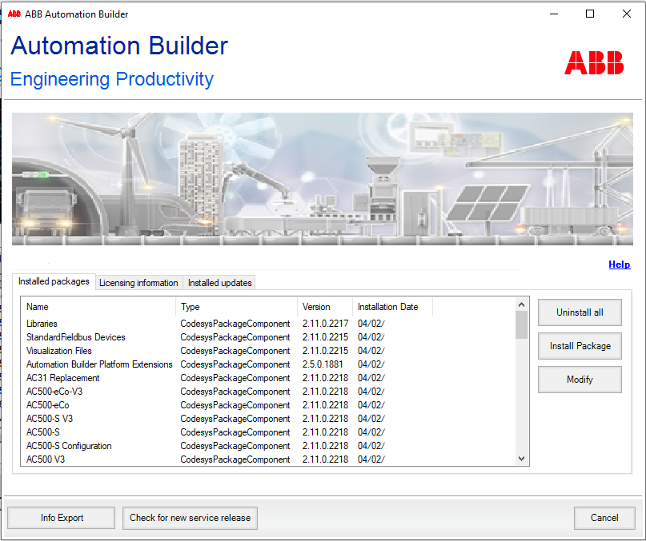
The Automation Builder installation manager allows installing customer specific software packages, modifying the existing installation, updating installation information and uninstalling Automation Builder software packages in a flexible manner.
-
The installation manager can be launched from “Tools Installation Manager” in Automation Builder or from the Windows Start Menu.
The installation manager starts.
Uninstall all
Uninstalls the currently installed Automation Builder software. ⮫ “Uninstalling Automation Builder”
Install Package
Installs customer specific software packages. ⮫ “Installing customer specific package”
Modify
Adds or removes installed software packages. ⮫ “Adding or removing installed software packages”
Info Export
Exports detailed information of installed packages in a notepad.
Check for new service release
Checks whether the installed Automation Builder version is up to date. ⮫ “Checking for updates”