|
This is the web edition of the original ⮫ AC500-S safety user manual, version 1.3.2. This web edition is provided for quick reference only. The original safety user manual must be used to meet functional safety application requirements. |
SVT reads the IEC 61131 program objects from the safety project created with AC500-S Programming Tool and the description files for the safety devices in Automation Builder, verifies the data from both sources and creates the SVT checklist. The SVT checklist is a text file that you can open with any text editor and print out, if necessary. Refer to the SVT checklist examples in figures that follow.
The SVT checklist has several sections:
-
A project information section with general information on the safety project⮫ “Project information section”.
-
Sections for each safety device in the safety project⮫ “Safety device sections”.
-
A section for the safety CPU in the safety project⮫ “Safety CPU section”.
-
A section for the used libraries⮫ “Libraries section”.
SVT verifies, for example:
-
The integrity of the global variables for I/O mapping for each safety device in the safety project.
-
The integrity of the mapped I/O variables versus the I/O structure description.
-
The checksum of the F-Parameter for each safety device.
-
The integrity of F-Parameters with F-Parameter description.

DANGER
In addition to successfully passed automatic checks, you must successfully complete all of the manual checks in the SVT checklist.

NOTICE
Use SVT on the final Automation Builder project after which no further changes in the functional safety project part leading to a new boot project CRC are expected.
Project information section
The SVT checklist starts with a section that is used to manually verify information regarding the whole safety project.
Fig. 467: Example of a project information section of an SVT checklist
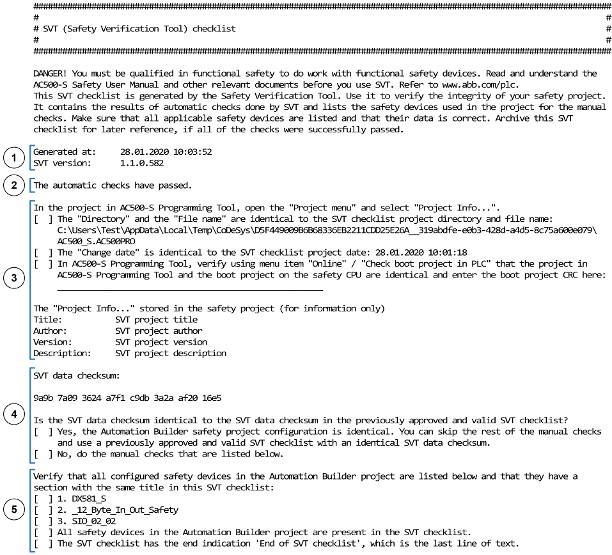
1
Time stamp and version information
2
Result of the automatic consistency checks done by SVT
3
Reference to the safety project
4
Data checksum for the whole SVT checklist
5
List of the safety devices in the safety project
Safety device sections
After the project information section, the SVT checklist has individual sections for each safety device in the safety project. The content of each safety device section depends on the type of the safety device.
ABB safety devices
Fig. 468: Example of a safety device section for DX581-S safety I/O module
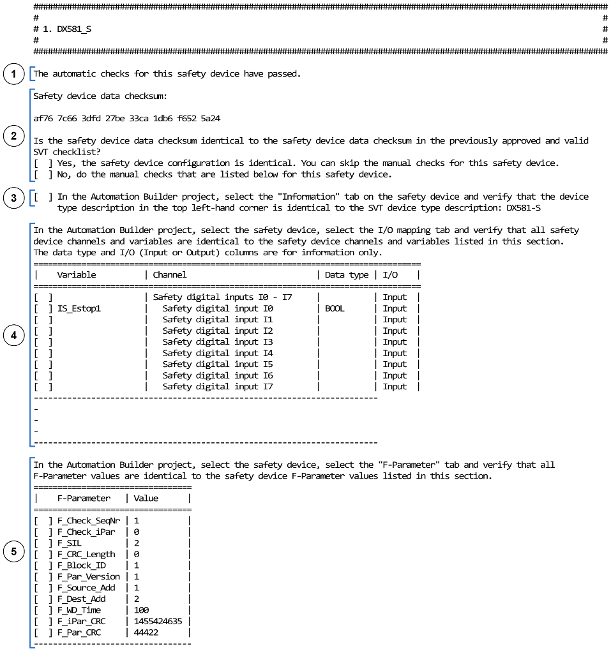
1
Result of the automatic consistency checks done by SVT
2
Data checksum for the safety device section
3
Safety device type description
4
Input and output mapping list for the safety device
5
List of F-Parameters for the safety device
F-Devices on AC500-S safety CPUs
F-Devices on AC500-S safety CPUs SM560-S-FD-1 and SM560-S-FD-4 include also a section with information on the position of the safety device in the safety project in Automation Builder.
Fig. 469: Example of a safety device section for a F-Device on AC500-S safety CPUs
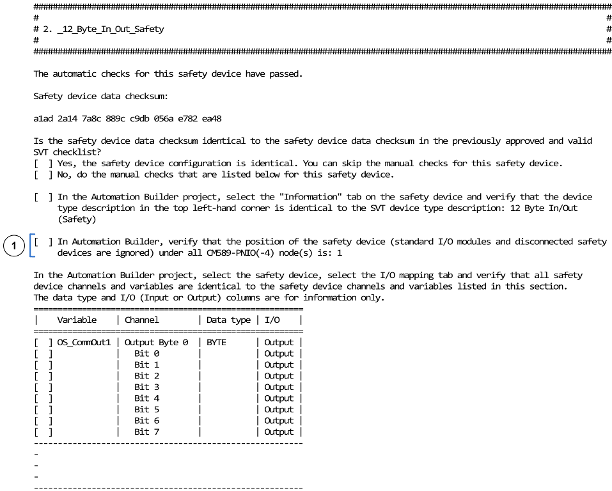
1
Position of the safety device in the safety project in Automation Builder under all CM589-PNIO(-4) nodes
3rd party safety devices
3rd party safety device sections also have Module ID and information on the GSDML file in the SVT checklist.
Fig. 470: Example of a safety device section for a 3rd party safety device
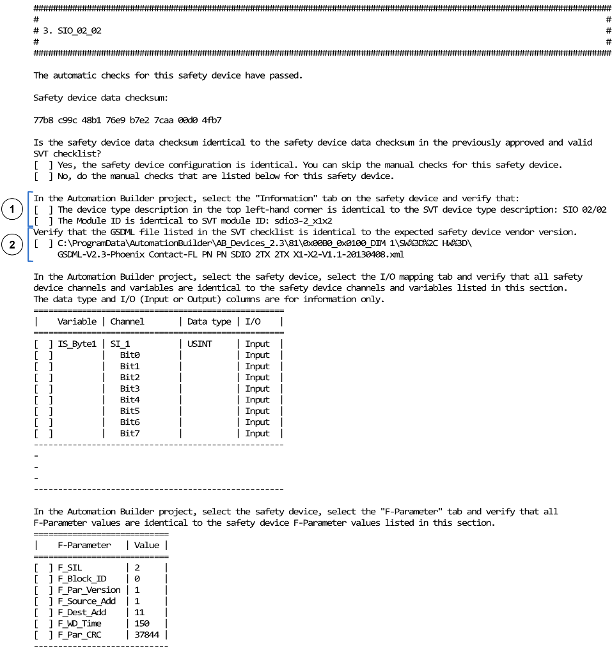
1
Module ID
2
Information on the GSDML file
Safety CPU section
In the same way as for the safety device sections, the safety CPU section includes information about the automatic checks, the data checksum and the manual checks for the safety CPU.
Fig. 471: Example of a safety device section for safety CPU
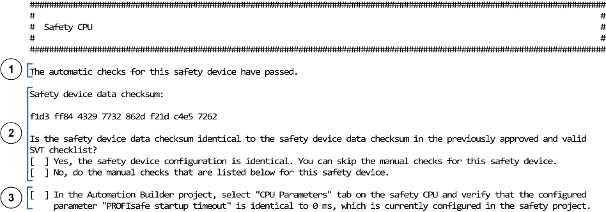
1
Result of the automatic consistency checks done by SVT
2
Data checksum for the safety CPU section
3
Parameter "PROFIsafe startup timeout" of the safety CPU
Libraries section
The libraries section includes a data checksum to indicate changes for the used safety libraries and the CRCs of the used safety libraries.
Fig. 472: Example of the libraries section
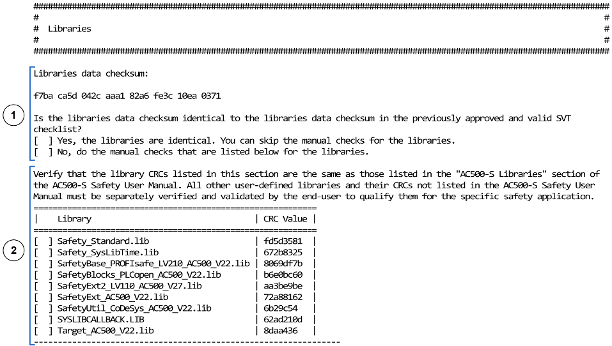
1
Data checksum for the safety libraries
2
Library CRCs
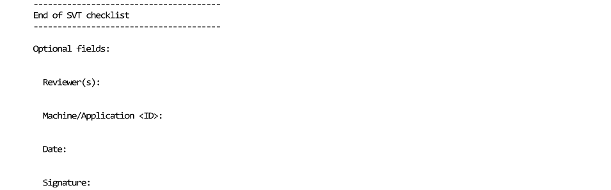
End of SVT checklist
After the libraries section, the SVT checklist ends with the line End of SVT checklist and, after that, optional fields like date, signature, etc.
Fig. 473: End of SVT checklist with optional fields