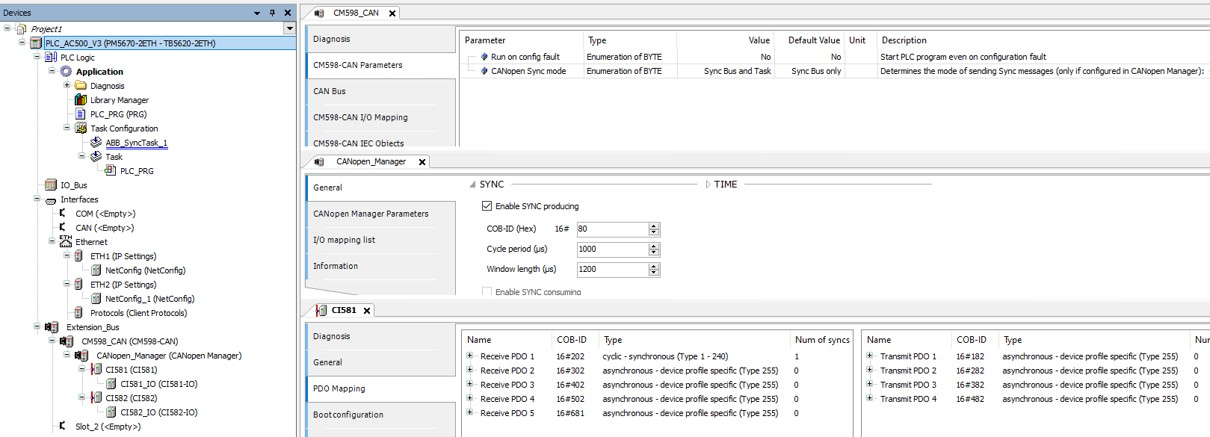
To create a SYNC task, that is triggered after each SYNC message, several steps are required.
-
Set the CANopen sync mode to “Sync Bus and Task” on the CM598 communication module.
-
Enable “SYNC producing” on the CANopen manager.
-
Set at least one PDO to the transmission type “cyclic synchronous”.
-
Build the project.
A new task named “ABB SyncTask <slot>” is created automatically. POUs can be added to this task and are executed when the task is triggered.
Do not change the task settings.
Fig. 247: Example of SYNC task configuration