


As of SystemFW 3.1.0 the Ethernet interfaces ETH1/ETH2 can be configured as an Ethernet switch.
The default setting is “Two separate interfaces”.
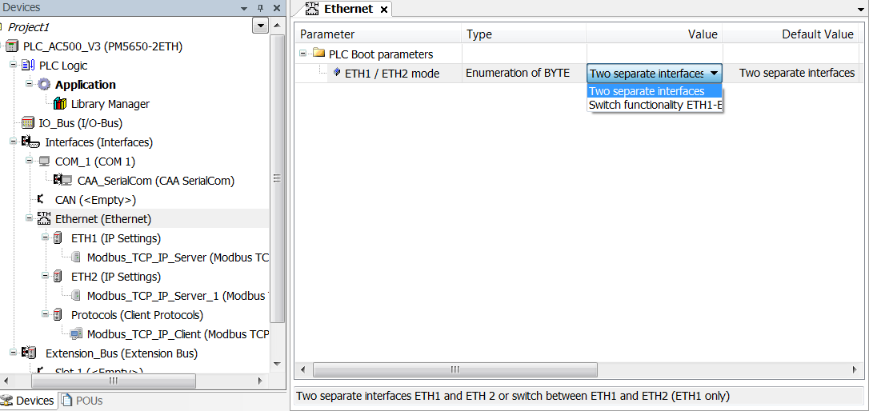
The change of the PLC Boot parameter ETH1 / ETH2 mode will become active after a PLC reboot.
Create and download a Boot project before rebooting the PLC!
|
Parameter |
Value |
Description |
|---|---|---|
|
ETH1 / ETH2 mode |
Two separate interfaces |
Two separate Ethernet interfaces ETH1 and ETH2 |
|
Switch functionality ETH1-ETH2 |
Switch between ETH1 and ETH2 |
If the Switch functionality ETH1-ETH2 is active, only the Ethernet interface ETH1 is available (see ⮫ “[CFG] - configuration”). Any protocols configured under Ethernet interface ETH2 must be deleted. Otherwise a compile error will be created.
The setting of ETH1 / ETH2 mode can be checked on LED display with soft key <CFG> (see ⮫ “[CFG] - configuration”).