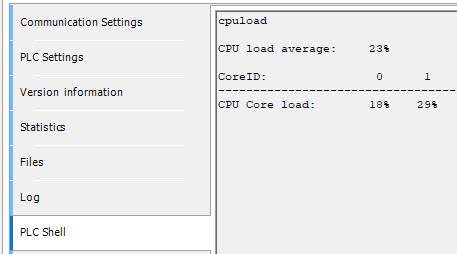
The AC500 V3 PLC provides values that represent the current CPU load and the PLC load of the PLC. The user can set the PLC load and CPU load to be visible in the statistics editor and the status bar at the bottom of Automation Builder: ⮫ “Dialog: Project Settings: Online ”. The setting can be found under “Project Project Settings Online”. Be aware that showing these values will itself add some load.
It is also possible to display the CPU load and the PLC load using the Trace Manager with Device Trace objects: ⮫ “Displaying the CPU load and PLC load with DeviceTrace objects in the Automation Builder project (example) ”
PLC load
The PLC load measures the capacity utilization of the user defined tasks. It is the ratio of time needed to complete a task to the time scheduled for the task. This is a direct measured value, which is always accurate. E.g. if only one task is configured with cycle period 20ms and the needed time to complete the task was 3.6ms, then the PLC load is 18%. (3.6/20*100%)
The PLC tasks cycle times can be seen in the task configuration of Automation Builder while being logged into the PLC. Cycle times are shown for each task as last, average, minimumum and maximum.

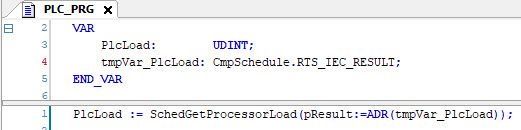
The PLC load can be retrieved by the user from the function block SchedGetProcessorLoad from the library “CmpSchedule.library”. It returns the average PLC load of all cores.
Example
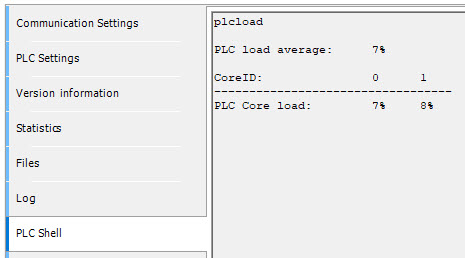
The PLC Shell command plcload returns the actual PLC load as average for all tasks and cores and the values for
the individual cores.
CPU load
The CPU load measures the ratio of the “busy” and “idle” time of a CPU in total. Due to constraints of the measuring method (fix sampling), the reported CPU load does not provide absolute accurate current information. It is oscillating over several hours and can fluctuate up to approx. 20%. It also depends on the number of active IEC user tasks and configured features.
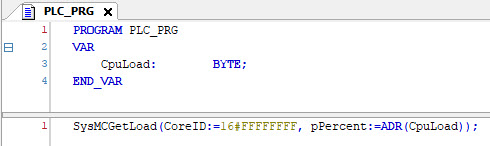
The CPU load can be retrieved by the user from the function block SysMCGetLoad from the library “Sys-CpuMultiCore.library”. The input CoreID has the following function:
CoreID=0 returns value for core1, CoreID=1 for core2, etc and CoreID=16#FFFF_FFFF
for the average of all cores. It’s recommended to use CoreID := 16#FFFFFFFF.
These values are based on values of CPU utilization from the Linux operating system which are passed to the PLC runtime and then to the user program. It is recommended to calculate an average over several hours, which is more stable than only the current values.
Example
The PLC Shell command cpuload returns the actual CPU load as average of all cores and the values for the individual
cores.