The CI504-PNIO configuration is available as of Automation Builder 2.9
The configuration of a CI504-PNIO is performed in the same way as for the communication interface modules.
⮫ “Configuration of communication interface modules”
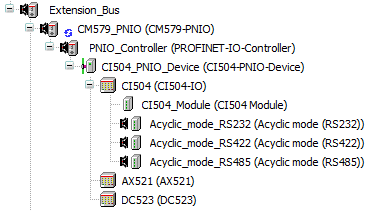
Additionally, the device provides up to 3 interfaces for serial communication. These interfaces can be accessed in the PLC application via function blocks from the library “CI504Profinet”.
The library “CI504Profinet” is available only for CM579-PNIO. For Onboard PROFINET, it is not supported.
After adding the device to the PROFINET controller configuration, all interfaces are disabled by default.
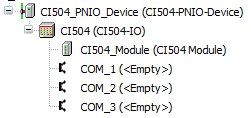
To enable a serial interface, add the desired interface type to one of the nodes (COM_1 to COM_3).
-
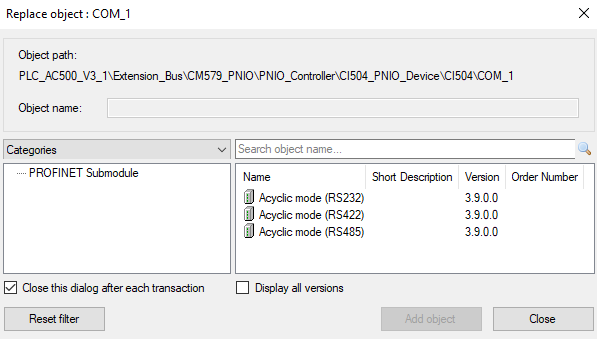
1. Right-click on one of the nodes (COM_1 to COM_3) in the device tree and click “Add object”.
The window “Replace object : COM_x” opens.
-
Select the interface type and click [Add object].
The interface appears under node COM_x.
To edit the interface parameters, proceed as follows.
-
Double-click the interface node.
-
Select the tab “General”.
The following parameter list is displayed.
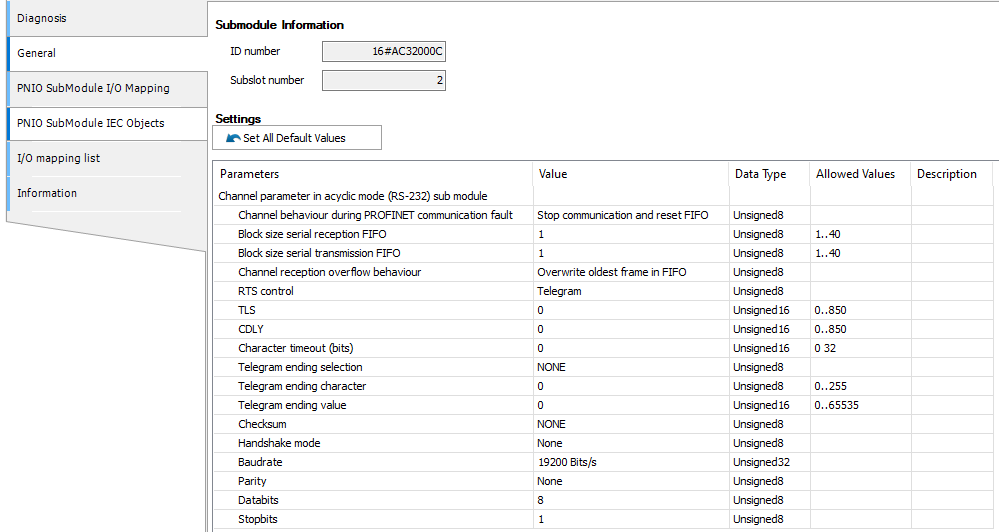
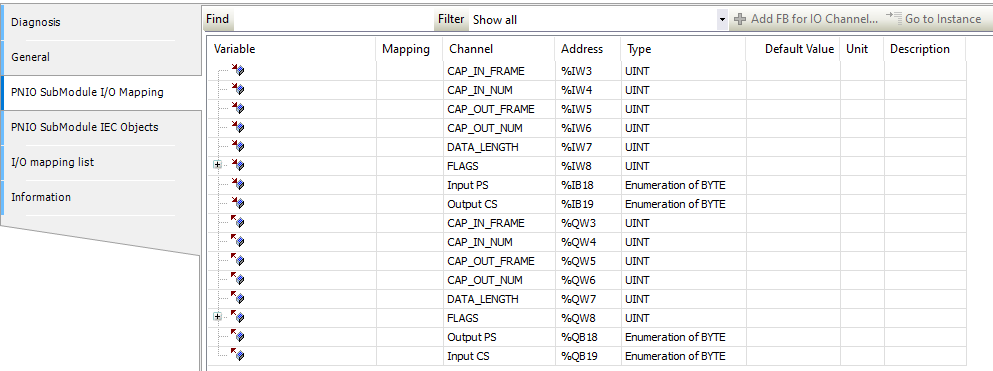
To edit the I/O mapping variables of an interface, proceed as follows.
-
Double-click the interface node “PNIO SubModule I/O mapping”.
-
Select the tab “PNIO SubModule I/O mapping”.
The I/O channel list is displayed.