


The IP configuration tool is part of Automation Builder and can be opened via “Tools IP-Configuration”. A separate installation is required only if the IP configuration tool is to be used stand-alone.
-
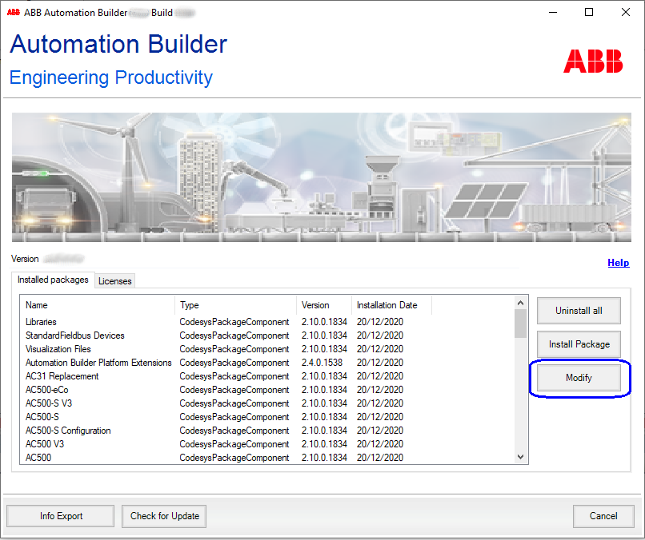
Open the Installation Manager in Automation Builder via “Tools Installation Manager”.
-
Close all other instances of Automation Builder. Only one instance of the program can be executed at a time.
-
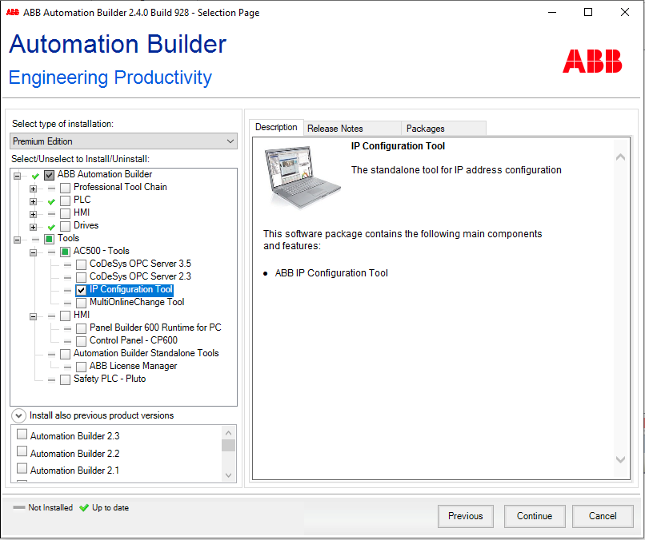
Click [Modify] and select the “IP Configuration Tool” from the structure tree.
-
Click [Continue] to start the installation.
After a successful installation, the IP configuration tool is available as a stand-alone tool (*.exe).
To start the IP configuration tool, click the newly created desktop icon.