


An active online connection to the PLC must not exist when editing the controller settings.
-
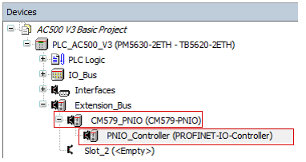
Under “CM579_PNIO”, double-click “PNIO_Controller” in the device tree.
A tab opens in the editor view.
-
Select “PROFINET IO CONTROLLER”
-
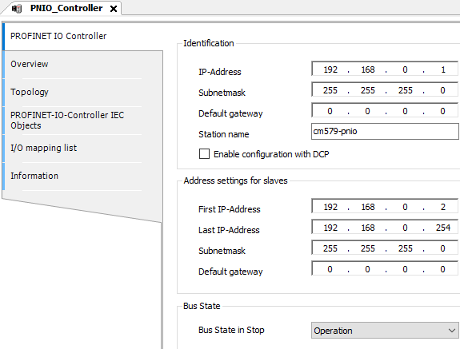
Select “PROFINET OI Controller”.
-
Configure how IP addresses are distributed within the industrial Ethernet network. The IP address and the DNS name (station name) of the PROFINET controller can also be defined here.
For the example project, keep the default settings.