


A preferred license type can be selected for Automation Builder startup.
-
In the Automation Builder menu, select “Tools Options”.
The “Options” window opens.
-
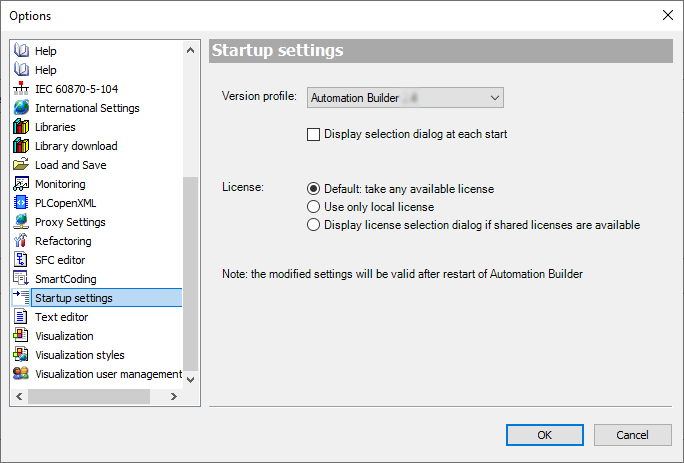
In “Startup settings” under “License”, select the required license option.
-
“Default”: The most comprehensive available license is selected.
-
“Use only local license”: Network licenses are not selected.
-
“Display licenses selection dialog if shared licenses are available”: A license selection dialog is displayed during Automation Builder startup.
-