



NOTICE
After returning an AC500 runtime license, the PLC system moves into “Stop” mode after 24 hours.
Returning a runtime license without memory card
A runtime license that has been installed on a PLC device can be returned and installed on another PLC device.
The PC and the PLC device are connected. If no connection is available, perform the return via memory card.
-
Right-click the PLC node and select “Return active license” from the “Runtime Licensing” menu.
A wizard starts. Follow the instructions.
-
Enter the license activation key and click “Return license”.
The results of the return process are displayed in the dialog.
The license is removed from the PLC device and can now be used on another PLC device.
Returning a runtime license via memory card
When the PLC is not connected to the PC (PLC logged out), a license can be returned via memory card.
-
Insert the memory card into the PC and execute “Runtime Licensing Prepare PLC license SD card ” on the PLC node.
-
Insert the memory card into the PLC.
-
Perform “power cycle”. After a successful update, reboot the PLC and connect to the PLC.
The License is removed from the PLC.
-
Insert the memory card into the PC.
-
Right-click the PLC node and select “Return active license” from the “Runtime Licensing” menu.
A wizard is started. Follow the instructions.
-
Enter the license activation key and select “Return license”.
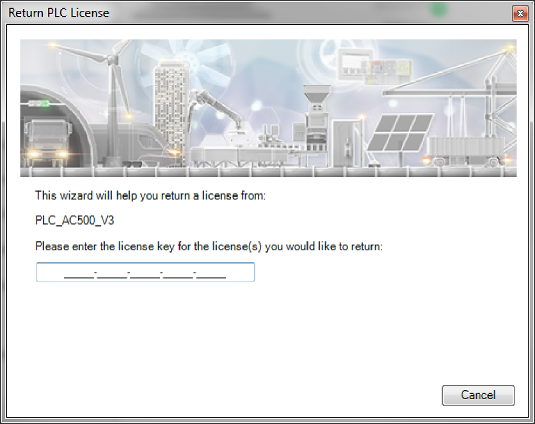
-
Click [Browse] and select the root folder of the memory card.
The return of the license is started.
-
Insert the memory card in the PLC device and reboot the PLC.
The license is removed from the PLC device and can be used on another PLC device.
-
To complete the licensing process, upload a license receipt file to the ABB license server.
Save the license receipt file and upload it manually from a PC with an internet connection to ⮫ http://lc.codemeter.com/32838/depot/index.php.
A license confirmation is returned.