


The values of I/Os can be monitored and controlled in the I/O configuration of a device. If the bit strings are transferred in big-endian byte order the bytes inside the word will be swapped.
Up to Automation Builder version 2.2 the bit channels will be displayed in the following way:
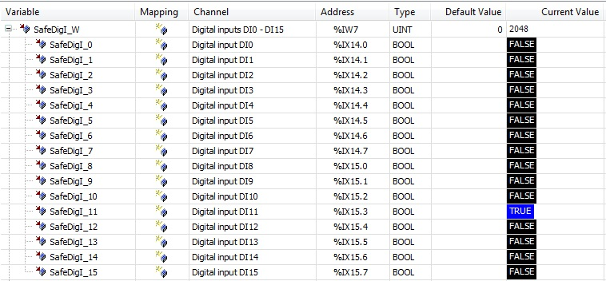
Input channel DI3 was set in bit string SafeDigi_W. Since the inputs are transferred in big-endian byte order, the input channel SafeDigi_11 or SafeDigI_W.11 is set.
User has to swap the bytes in the IEC application.
As of Automation Builder version 2.3.0 the bit channels will be displayed in the following way:
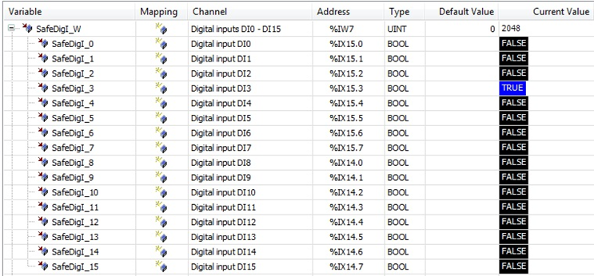
The representation of a bitfield is changed by swapping the bytes correspondingly
to the type used in the IO configuration.
Now the correct SafeDigI_3 or SafeDigI_W.3 is set in case of DI3 is set.
In general, it is not recommended to use the “Address”, e.g. %IX15.3 directly in the IEC application. Use always symbolic variables to avoid access to
wrong I/O channels.