


-
Go to homepage ⮫ http://new.abb.com/plc/automationbuilder/platform/software .
-
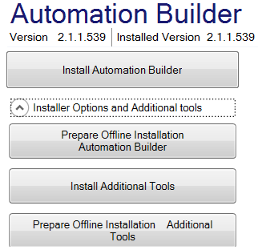
Click [Latest Automation Builder version (recommended)] and run the installer.
-
Open “Installer Options and Additional Tools” and click [Install Additional Tools].
-
Agree to the “License Terms”.
-
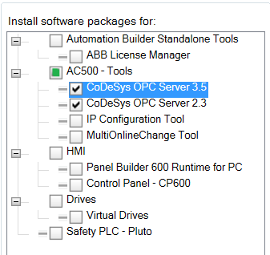
Select “Version 2 and/or 3” and install.
All required files are installed for OPC and the OPC server is registered automatically as user application.