


-
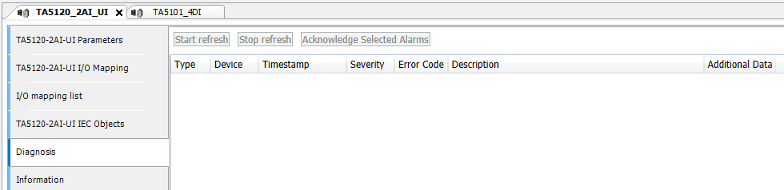
In the device tree, double-click the desired option board.
-
Select the “Diagnosis” tab to view the diagnosis messages of the desired option board.
|
Severity |
Error |
Description |
Remedy |
|---|---|---|---|
|
Option board error (Channel 255) |
|||
|
3 |
3 |
Timeout Communication timeout to CPU |
If the process voltage is connected properly, replace the option board. |
|
3 |
51 |
Invalid slot Wrong or missing option board in the appropriate slot |
Check the configuration and the hardware setup. |
|
4 |
11 |
Process voltage is too low |
Check the process voltage. |
|
4 |
34 |
Data not ready Data synchronization warning |
Check PLC program and synchronize. 1) |
|
3 |
40 |
SW-mismatch Hardware does not match the firmware version |
Replace the option board. |
|
3 |
53 |
Download failed Power loss during firmware update |
Replace the option board. 2) |
|
3 |
9 |
DIAG_BUF_OVERFLOW Overflow in Diagnosis buffer |
Diagnosis overflow usually means too many repeated warnings or errors. Please check all diagnosis in detail and take the appropriate action. A restart will clear the diagnosis. |
|
3 |
43 |
DIAG_INTERNAL_ERR Internal error in the option board |
Replace the option board. |
|
3 |
26 |
DIAG_CFG_PRM_ERR Parameterization error |
Check the CPU parameterization. |
|
3 |
19 |
DIAG_CRC_ERR Checksum error in option board |
Replace the option board. |
|
Channel warning |
|||
|
4 |
4 |
Highest level Voltage measurement overflow |
Check the input value. |
|
4 |
7 |
Lowest level Measurement underflow, or broken wire in current range 4 mA…20 mA |
Check the input value and the wiring. |
|
4 |
48 |
Overload wire break Broken wire in voltage mode, overflow in current mode |
Check the input value and the wiring. |
Remarks:
|
1) |
If no other error occurs, the programs are not identical and the parameter is set to report an error in this case. |
|
2) |
Do not remove the power supply from the option board during the firmware update. |