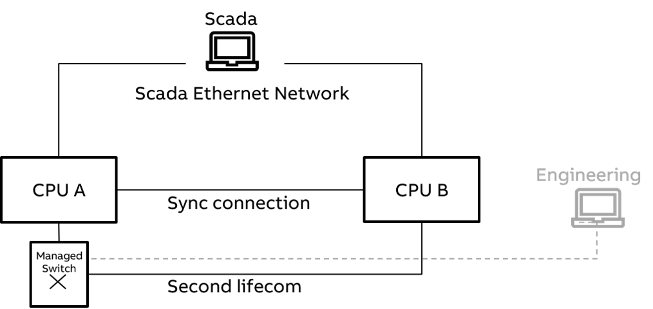
HA Modbus system supports dual lines for synchronization of data. Dual Sync feature can be used to avoid loss of data sync between CPUs when first sync connection is broken. In case the first sync connection between CPUs is broken, automatically CPU starts transmitting the sync data through other onboard ethernet port as shown in the below figure.
1
Dual sync option disabled. Sync connection between primary PLC CPU and secondary PLC CPU will happen only through configured onboard port. When the sync connection is lost, a "sync lost" error is indicated.
2
Dual sync option enabled. Sync connection between primary plc CPU and secondary plc CPU will happen through configured onboard port (Sync 1). When the sync connections is lost, the Sync connection will automatically shift through to the other onboard ETH port (Sync 2).
Sync connection configuration for dual sync is not recommended on communication module CM5640-2ETH. Use only onboard ETH ports.
By default
By default, dual sync functionality is disabled in the HA Modbus configuration. To enable the dual sync, do the following steps:
-
Set the global variable from HA Modbus library, “xEnableDualSync” = TRUE in the project .
-
Assign the Dual Sync Ping Timeout value, “timDualSyncPingTimeout” (default value 100ms). This timeout is necessary to identify the disconnection of first sync line between the PLCs and switch to other Ethernet line.