

-
Create an empty project and call it for example “Device_12”.
-
Insert a “BACnet Server” object below the interfaces object in the device tree.

-
Set the device
InstanceNumberin the “BACnet Parameters” of the “BACnet Server”, e.g. to12and theInstanceNametoDevice_12(according to Fig. 251 BACnet objects, properties, services and BIBBs).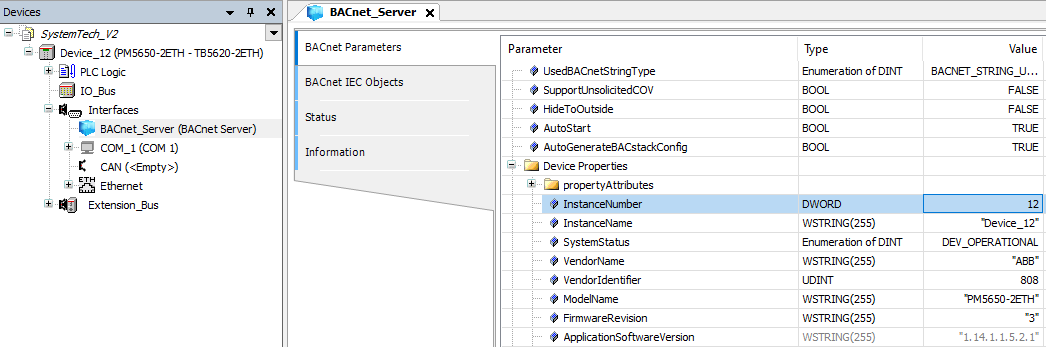
-
Add a datalink, IP or MS/TP. In the example an IP datalink is inserted below
ETH1. Default parameters are sufficient if only one datalink is used.
-
Build the project, download to the PLC and set it to [RUN]. The status of the “BACnet Server” should be green (running). If not, please ensure that you have installed the runtime license BACnet Protocol B-BC Runtime, verifiable by right-click on the PLC node and select [Show license information] from the runtime licensing menu. The project is scanned for required licenses. If you are logged in to a PLC, then the licenses available on the PLC are displayed. A missing required license is highlighted.

-
Start any BACnet client to find the server, for example Inneasoft BACnet Explorer.

 Permalink