


To enable Modbus RTU on a serial interface the protocol setup per default has to be replaced by either Modbus RTU client or server, depending on required operation mode.
A serial interface supports only one protocol/operation mode at once.
-
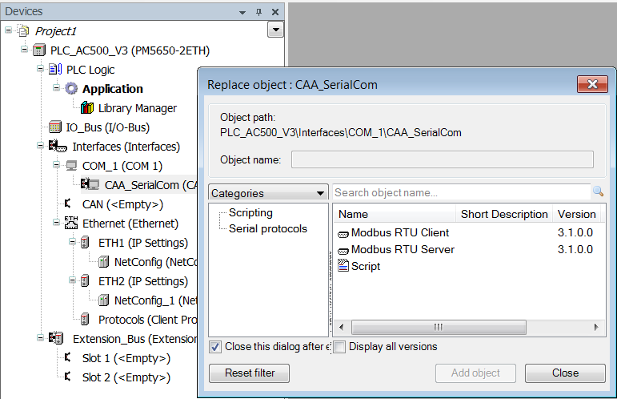
Right-click node “CAA_SerialCom” and click “Add object”.
-
Select “Modbus RTU Client” or “Modbus RTU Server” and click “Add object”.
“CAA_SerialCom” is replaced by your selection.