


Prerequisite: A battery is inserted and the clock is set to actual time.
-
Double-click the Security symbol in the lower right corner of Automation Builder.
-
Select the “Devices” tab.
The certificate information opens.
-
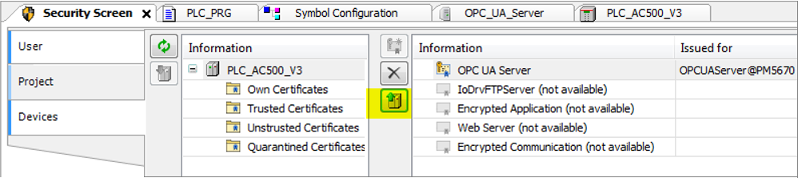
Select the PLC in the left “Information” view.
All services of the PLC that require a certificate are displayed in the right Information view.
-
Select the service “OPC UA Server”.
-
Click the icon
 to create a new certificate for the device.
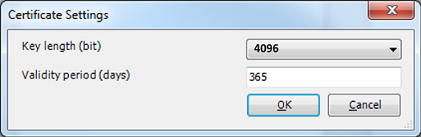
“Certificate Settings” dialog appears.
-
Define the certificate parameters according the figure above and click [OK].
The certificate is created on the PLC.
-
Upload the certificate to your PC.
-
Restart the runtime system.
For further information see ⮫ “OPC UA secure”.