


With the Automation Builder version 2.6.0 a side-by-side installation is possible, i.e. any Automation Builder versions can be installed in parallel.
Automation Builder 2.5 or a lower version can be installed for access to all required previous versions.
When updating the Automation Builder version, a previously configured project must be converted in order to be used in a new Automation Builder version.
-
Create a project archive before upgrading Automation Builder. Project archives contain all project data, including data that is not stored with a *.project file, e.g. device description files for third party devices.
“File Project Archive Save/Send Archive...”
-
Use the Automation Builder update notification to inititate the software update.
⮫ “Automation Builder updates”
or:
-
Download the file from the ⮫ PLC website - all versions of the Automation Builder are available.
-
Install the new Automation Builder and follow the instructions.
-
Open a previously configured project.
Automation Builder performs an integrity check for the PLC configuration before generating the configuration.
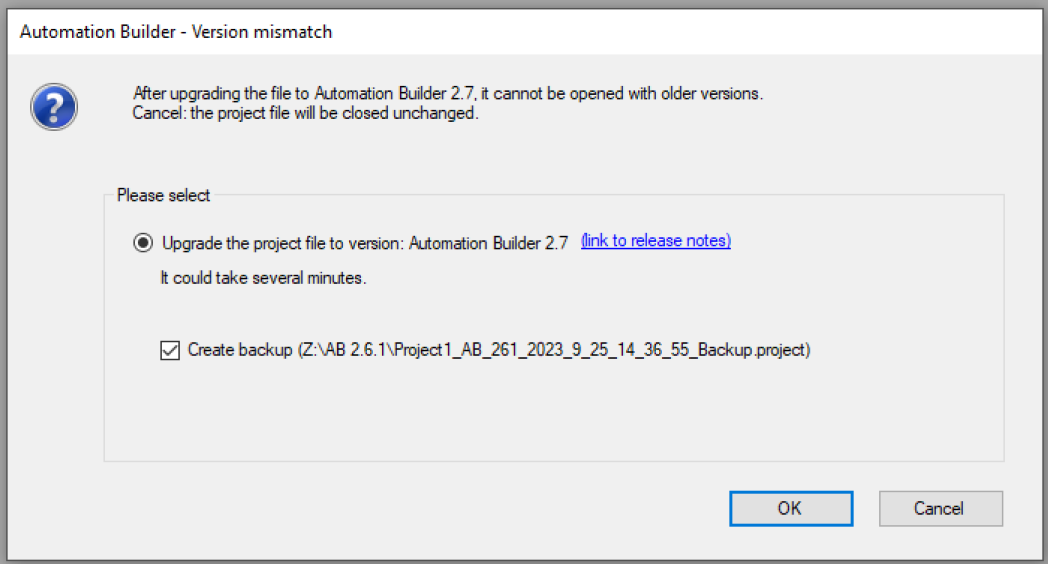
Automatically a window appears with the request to upgrade the project.
-
Click the [OK] button.
During the project upgrade, an option for migration of third party devices can be selected.

-
Click the [OK] button to upgrade third party devices.
If this option was not selected during the upgrade procedure, migration can be initiated manually after an Automation Builder upgrade in order to migrate all third party devices to the project.
-
The firmware of the communication interface modules will not automatically be upgraded. You can do this with the IP configuration tool. For this, the IP configuration tool must be used as stand-alone variant.
Follow the instructions for the firmware upgrade for communication interface modules.
Application example
A project that has been configured for an AC500 V2 PLC can be converted to a project for an AC500 V3 PLC. Essentially, the conversion is done in Automation Builder, however, some additional actions have to be executed manually. The complete conversion procedure of a V2 project to a V3 project is described in an ⮫ application note.
It is not possible to downgrade a project to an earlier Automation Builder version.